If you spend long hours at a desk, your posture can significantly affect your comfort and overall health. Many people are unaware that small adjustments can lead to big improvements. From selecting the right chair to positioning your monitor at eye level, various factors contribute to your desk setup.
As a chiropractor, I want to guide you on how to create an ergonomic workspace that promotes better posture and spinal health. A well-optimized workspace not only enhances your comfort but also helps prevent the nagging aches and pains that often accompany prolonged sitting.
Here are some practical tips to improve your desk job posture:
- Choose the Right Chair: Invest in an ergonomic chair that supports your lower back. Your chair should allow your feet to rest flat on the floor and your knees to be at a 90-degree angle. This helps maintain the natural curve of your spine.
- Monitor Positioning: Your computer monitor should be at eye level, about an arm’s length away. This reduces strain on your neck and eyes. If you’re using a laptop, consider a stand or an external keyboard to elevate the screen.
- Adjust Your Desk Height: Your desk should be at a height where your elbows are at a comfortable angle, ideally at 90 degrees when typing. If your desk is too high or too low, it can lead to shoulder and wrist discomfort.
- Frequent Breaks: Take short breaks every 30-60 minutes. Stand up, stretch, and walk around to promote circulation and reduce tension in your muscles.
- Mind Your Feet: Keep your feet flat on the floor or use a footrest if needed. This promotes better spinal alignment and helps in relieving pressure on your lower back.
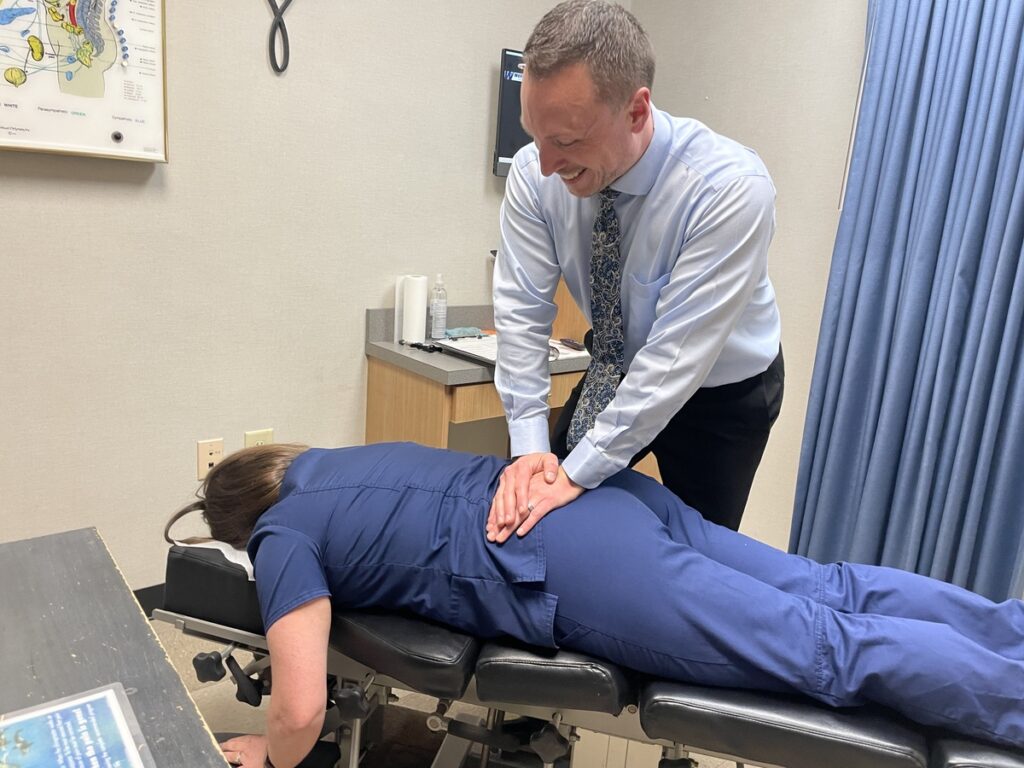
- Utilize Chiropractic Care: Regular visits to a chiropractor can help you maintain optimal spinal health. Chiropractic adjustments can alleviate discomfort, improve posture, and enhance your overall well-being.
Remember, your posture is key to your health, especially if you’re spending long hours at a desk. By making these simple adjustments and incorporating chiropractic care into your routine, you can work more comfortably and efficiently, free from the distractions of pain. Embrace these changes and experience the benefits of a healthier, more natural approach to your workspace!
Key Takeaways
Improve Your Desk Job Posture: A How-To Guide for Spinal Health
As a chiropractor, I understand the importance of maintaining a healthy posture while working at a desk. Poor posture can lead to discomfort and long-term spinal issues. Here are some simple tips to help you improve your desk job posture, reduce pain, and promote overall wellness:
- Chair Height Adjustment: Start by assessing your chair height. Your knees should be at around 90 degrees, with your feet flat on the floor. This alignment helps to support your spine and prevents unnecessary strain on your lower back.
- Monitor Positioning: Make sure your computer monitor is at eye level and about an arm’s length away. This positioning helps reduce neck strain and prevents eye fatigue, allowing for a more comfortable work environment.
- Wrist and Elbow Alignment: Keep your wrists straight while typing and ensure your elbows are close to your body at around 90 degrees. This posture minimizes strain on your arms and shoulders, promoting better spinal health.
- Regular Movement Breaks: Take regular breaks every hour to stand up, stretch, and move around. These breaks relieve muscle tension, promote circulation, and significantly reduce the risk of stiffness. Remember, movement is key to a healthy spine!
- Incorporate Stretching: Throughout your day, try to include simple stretching exercises. Stretching not only improves flexibility but also alleviates discomfort. Gentle stretches can help keep your spine aligned and your muscles relaxed.
By following these tips, you can enhance your posture and overall well-being while working at a desk. Remember, chiropractic care is an excellent way to support your spinal health and promote natural healing. Consider visiting your local chiropractor for personalized advice and treatment options that can help you achieve optimal health and wellness. Your spine will thank you!
Assess Your Current Posture
Assess Your Current Posture for Optimal Health
Before you can enhance your posture at your desk job, it’s essential to evaluate your current sitting position. Begin by sitting comfortably in your chair, ensuring that your back is straight and your shoulders are relaxed. Your feet should rest flat on the floor, with your knees positioned at or slightly below hip level. It’s important to have your computer screen at eye level, roughly an arm’s length away. This alignment helps prevent strain on your neck and encourages you to sit upright rather than leaning forward.
Pay attention to how your wrists are positioned while typing; they should remain straight without bending up or down. Your elbows should stay close to your body, forming a 90-degree angle. If you experience any discomfort or tension, it’s a clear indication that your posture requires adjustment. Regularly assessing your alignment can help you identify patterns that may lead to poor posture and discomfort.
Remember, maintaining proper posture isn’t just about comfort—it’s vital for your spinal health. A well-aligned spine supports overall wellness and can prevent pain. If you find persistent issues with your posture or discomfort, consider visiting a chiropractor. Chiropractic care focuses on natural healing and can help restore your body’s alignment, leading to improved health and well-being.
Choose the Right Chair
Choosing the right chair is crucial for maintaining good posture and overall spinal health while you work at your desk. As a chiropractor, I emphasize the importance of an ergonomic chair that supports your spine’s natural curves. Look for features such as adjustable height, proper lumbar support, and comfortable cushioning to keep your back happy and pain-free throughout the day.
Investing in a quality chair isn’t just about comfort; it can significantly impact your health and wellness. When your posture is aligned, your body can function optimally, reducing the risk of discomfort or pain. Remember, a well-designed chair encourages you to sit properly, which can help prevent strain on your muscles and joints.
In addition to choosing the right chair, here are some simple tips to enhance your workspace for better spinal health:
- Take Regular Breaks: Stand up, stretch, and move around every hour to keep your blood flowing and relieve tension in your muscles.
- Adjust Your Desk Height: Ensure your desk is at the right height so your elbows can rest comfortably at your sides while typing.
- Use a Footrest: If your feet don’t touch the ground, a footrest can help maintain proper leg positioning and reduce lower back strain.
- Practice Good Posture: Keep your feet flat on the ground, your back against the chair, and your head aligned with your spine.
Ergonomic Design Features
When it comes to maintaining good posture at your desk, choosing the right chair is crucial for your spinal health. An ergonomic chair is designed to support your body’s natural alignment, which can help prevent discomfort and pain. For example, a chair with lumbar support is essential; it helps maintain the natural curve of your lower back, which can prevent slouching and promote better spinal alignment.
Here are some key ergonomic features to look for in a chair and how they can benefit your health:
| Feature | Benefit | Importance |
|---|---|---|
| Lumbar Support | Supports the lower back | Prevents slouching and pain |
| Adjustable Armrests | Reduces tension in shoulders | Enhances comfort and relaxation |
| Seat Depth Adjustment | Accommodates different leg lengths | Improves circulation and comfort |
Investing in a chair with these ergonomic features is a step towards a healthier work environment. Remember, good posture not only keeps your spine aligned but also helps you stay comfortable and focused throughout your workday.
In addition to selecting the right chair, consider incorporating regular chiropractic care into your routine. Chiropractic adjustments can help alleviate pain, improve your posture, and promote overall wellness naturally. Remember to take breaks to stand, stretch, and walk around, as movement is vital for maintaining a healthy spine. Your body will thank you for making these mindful choices!
Adjustable Height Options
Adjustable height options are crucial for maintaining a healthy and supportive workspace, and they play an important role in spinal health. When selecting a chair, seek one that allows for easy modification of the seat height. This feature helps ensure that your posture is aligned, allowing your feet to rest flat on the floor and your knees to form a comfortable 90-degree angle. It’s equally important that your elbows are positioned at a similar angle while typing, as this can help prevent unnecessary strain on your neck and back.
A chair equipped with a pneumatic height adjustment lever is particularly beneficial, as it allows you to effortlessly change heights throughout the day to suit your needs. I encourage you to test out various chairs to find one that complements your body type and promotes proper spinal alignment. Remember, a well-adjusted chair can significantly reduce discomfort and enhance your productivity during long work hours.
In addition, regular chiropractic care can further support your spine and overall health. A chiropractor can help address any misalignments and provide guidance on maintaining a healthy posture while working. Making simple adjustments to your workspace, coupled with chiropractic care, can lead you to a more comfortable and healthier lifestyle. Embrace these tips to promote natural wellness and keep your spine in top shape!
Lumbar Support Importance
A chair that provides proper lumbar support is crucial for maintaining a healthy posture, especially during those long hours at your desk. Without the right support, it’s easy for your lower back to become strained, leading to discomfort and potential long-term issues. As a chiropractor, I emphasize the importance of a chair with a contoured backrest that aligns with the natural curve of your spine. This feature not only helps distribute your weight evenly but also encourages you to sit upright, which is essential for spinal health.
If your chair isn’t adjustable, finding the right height and angle can be a challenge, often resulting in poor posture and discomfort. I recommend investing in a chair with adjustable lumbar support so you can tailor it to your unique needs. This small adjustment can make a significant difference in how you feel throughout the day.
Additionally, consider taking regular breaks to stand up, stretch, and move around. Incorporating simple stretches for your back and legs can help alleviate tension and promote better circulation.
Adjust Your Desk Height
Finding the right desk height is essential for not just your comfort but also your overall spinal health. An ergonomic setup can significantly reduce discomfort and support your body in maintaining its natural alignment. Here’s how to achieve the best desk height for your needs:
Start by standing up straight with your feet flat on the ground. Your knees should form a 90-degree angle. When you sit down, your elbows should also bend at about 90 degrees while resting on the desk. This positioning is crucial for preventing strain on your neck, back, and shoulders. Make sure your wrists remain straight when typing to avoid any unnecessary tension.
If your desk feels too high, consider using a desk riser or an adjustable chair. On the flip side, if it’s too low, you may need to either raise it or opt for a taller chair. Remember, the goal is to maintain a neutral posture, which is vital for minimizing stress on your spine and surrounding muscles.
It’s important to regularly check your desk height, especially if you share a workspace or change seating arrangements frequently. Even a small adjustment can lead to significant improvements in your comfort and productivity during the workday.
As a chiropractor, I encourage you to listen to your body. If you experience any discomfort, don’t hesitate to seek chiropractic care. A trained chiropractor can provide personalized advice and adjustments to help you achieve optimal health and wellness, naturally. Remember, a healthy spine leads to a healthier you!
Position Your Monitor Correctly
To ensure your monitor is positioned correctly and to promote a healthy spine, aim to have the top of the screen at or just below eye level. This simple adjustment can significantly reduce neck strain and support proper posture – key factors in maintaining spinal health. Sitting about an arm’s length away from the screen will also help minimize eye fatigue, allowing you to work comfortably for longer periods. Additionally, tilting your monitor slightly backward can enhance visibility and comfort, making it easier on your eyes and neck.
Here’s a handy reference table to help you remember these tips:
| Positioning Tip | Ideal Measurement | Benefits |
|---|---|---|
| Height | Top of screen at eye level | Reduces neck strain and supports spinal alignment |
| Distance | Arm’s length | Minimizes eye fatigue and promotes healthy posture |
| Tilt | Slightly backward | Improves visibility and comfort for your eyes |
Keep Your Feet Flat on the Floor
Keeping your feet flat on the floor is crucial for maintaining good posture while working at your desk, which can significantly impact your spinal health. As a chiropractor, I often see how improper seating can lead to discomfort and misalignment in the spine. Adjusting your chair to the right height is key; your feet should be able to rest firmly on the ground to provide proper support for your body.
If your feet don’t comfortably reach the floor, using a footrest can be a simple and effective solution. It not only helps you stay comfortable but also promotes better alignment, reducing the risk of back pain and discomfort.
Remember, when your body is properly aligned, you’re not just relieving tension; you’re also supporting your overall health.
Incorporating these small adjustments into your daily routine can have a beneficial effect on your well-being. If you’re experiencing pain or discomfort, consider visiting a chiropractor. We specialize in natural healing methods that focus on restoring balance and function to your body, helping you achieve optimal health without the need for medications or invasive procedures. Take charge of your health today by ensuring that your workspace is a supportive environment for your spine!
Importance of Foot Position
As a chiropractor, I want to emphasize the importance of maintaining a proper foot position for optimal health and wellness.
Keeping your feet flat on the floor while sitting at your desk is crucial for supporting your spine and reducing strain on your lower back. This simple adjustment creates a stable base that helps distribute your body weight evenly, ultimately preventing fatigue and discomfort during those long hours at work.
When your feet dangle or rest on an unstable surface, it can lead to poor circulation and contribute to leg and foot pain—issues that can easily be addressed through proper posture. By ensuring your feet are flat on the ground, not only do you promote better alignment, but you also enhance your balance, allowing you to sit more comfortably and focus on your tasks.
Here are a few practical tips to help you improve your foot position and overall posture while working:
- Adjust Your Chair Height: Make sure your chair is at a height where your feet can rest flat on the floor. If your chair is too high, consider using a footrest to achieve that flat position.
- Use a Footrest: If you can’t adjust your chair, a footrest can provide support and keep your feet from dangling, helping to maintain proper circulation.
- Take Breaks to Move: Stand up and stretch every hour to relieve tension and improve circulation in your legs and feet.
- Stay Mindful of Your Posture: Regularly check in with your body. Are your feet flat? Is your back straight? Adjust as needed.
- Consider Chiropractic Care: Regular visits to a chiropractor can help ensure that your spine is aligned and functioning optimally, which supports your overall health and well-being.
By making these small changes and considering chiropractic care, you can feel a significant difference in your posture and comfort throughout the day.
Prioritize your foot position and take control of your health—it’s an essential step towards a more comfortable, healthier lifestyle.
Ideal Chair Height
Achieving the right chair height is essential for maintaining optimal posture, which is crucial for your overall spinal health. When your feet are flat on the floor, it helps reduce strain on your lower back and enhances circulation throughout your body. Here’s a simple guide to help you find your ideal chair height for better comfort and well-being:
| Measurement | Ideal Range |
|---|---|
| Seat Height | 16 to 21 inches |
| Knee Angle | 90 degrees |
| Thigh Position | Parallel to the floor |
| Foot Position | Flat on the ground |
To ensure your spine stays aligned, adjust your chair so that your knees are slightly lower than your hips. This position helps maintain the natural curve of your spine and can prevent discomfort and pain. If your current chair doesn’t allow for this adjustment, consider switching to a height-adjustable chair that accommodates your body’s needs.
Use Footrests When Needed
Using a footrest can be a simple yet effective way to support your overall health and wellness, particularly when you’re sitting for extended periods. If your chair is too high or too low, a footrest can help ensure your feet are flat on the floor, which is essential for maintaining good posture. When your feet are flat, you distribute your weight evenly, reducing strain on your legs and lower back—something we often see as a contributing factor to discomfort.
Look for a footrest that’s adjustable to find the height that feels best for you. A sturdy footrest provides the support you need and can make a significant difference in your sitting posture. Remember to shift your feet occasionally to promote circulation, as this can help prevent stiffness and enhance your overall comfort.
Your posture plays a crucial role in your health, affecting not just how you feel while sitting but also your productivity throughout the day. By investing in a footrest, you’re taking a proactive step toward better posture and, ultimately, better spinal health.
As a chiropractor, I encourage you to consider these small adjustments as part of a broader lifestyle change focused on natural healing and wellness. Incorporating simple tools like a footrest can complement your chiropractic care, helping you to feel better and function optimally in your daily activities. Remember, achieving and maintaining good posture is key to overall health, and chiropractic care is always here to support you on that journey.
Take Regular Breaks
Taking regular breaks is crucial for improving your desk job posture and enhancing your overall well-being. When you sit for extended periods, your muscles can become tense, leading to discomfort and misalignment of your spine. To combat this, consider setting a timer to remind yourself to stand up and move around every hour. A simple walk to the water cooler or a few quick stretches can make a significant difference.
During these breaks, try to change your position. Shift your weight from one leg to another or gently roll your shoulders back. These small movements not only help relieve tension but also promote better circulation, which can elevate your energy levels.
If possible, take your breaks outside. Getting fresh air and a change of scenery can lift your spirits and boost your productivity. Remember, these regular breaks aren’t just about stepping away from your desk; they’re essential for maintaining a healthy posture and enhancing your overall work performance.
As a chiropractor, I want to emphasize the importance of caring for your spine. Incorporating spinal health into your routine is key to achieving optimal health. Chiropractic care is an excellent choice for pain relief and natural wellness, helping to keep your spine aligned and your body functioning at its best. By taking regular breaks and being mindful of your posture, you can support your spine and enhance your well-being without the need for medications or invasive procedures.
Prioritizing your spinal health today can lead to a healthier tomorrow!
Incorporate Stretching Exercises
Incorporating stretching exercises into your daily routine is a fantastic way to improve your posture, especially if you spend long hours at a desk. As a chiropractor, I often see how poor posture can lead to discomfort and pain, but the good news is that simple stretching can help alleviate tension, improve circulation, and keep your muscles flexible. By setting aside just a few minutes every hour to perform targeted stretches, you can make a significant difference in how you feel throughout the day.
Here’s a quick guide to some effective stretches that can enhance your well-being:
| Stretch Name | Duration | Benefits |
|---|---|---|
| Neck Stretch | 15 seconds | Reduces neck tension and promotes relaxation. |
| Shoulder Roll | 30 seconds | Relaxes shoulder muscles and improves blood flow. |
| Cat-Cow Stretch | 30 seconds | Enhances spinal flexibility and can relieve back pain. |
| Wrist Stretch | 15 seconds | Alleviates wrist strain, especially helpful for those typing frequently. |
| Seated Twist | 30 seconds | Increases spinal mobility and can help relieve stiffness. |
These stretches not only provide immediate relief but also contribute to long-term health. Remember, chiropractic care is a holistic approach to achieving optimal health and wellness. Regular stretching combined with chiropractic adjustments can keep your spine aligned and prevent discomfort from becoming a chronic issue.
It’s essential to listen to your body. If you experience pain while stretching, consult with your chiropractor to ensure you’re practicing safe and effective movements. Making these stretches a part of your daily routine can lead you toward a healthier, more comfortable life.
Conclusion
Improving your desk job posture is essential for maintaining comfort, productivity, and overall spinal health. As a chiropractor, I want to share some valuable tips that can help you enhance your workspace setup and promote natural healing.
First, assess your current workstation. Ensure that your chair provides proper lumbar support, allowing your spine to maintain its natural curve. A good chair should also be adjustable, enabling you to find the perfect height for your desk.
When it comes to your desk and monitor, make sure your screen is at eye level to prevent neck strain. Your feet should remain flat on the floor, or you can use a footrest if needed. This position helps to maintain proper alignment in your spine, reducing the risk of discomfort.
Don’t forget to take regular breaks! Standing up and moving around every 30 minutes can help alleviate tension and fatigue. It’s also beneficial to incorporate stretching exercises into your daily routine. Simple stretches can relieve tight muscles and promote better circulation.
Remember, chiropractic care is an excellent choice for addressing pain and enhancing your overall well-being. Regular adjustments can help keep your spine aligned, improving your posture and reducing discomfort. By following these tips and prioritizing your spinal health, you’re taking proactive steps toward a healthier and more productive work life. Start today, and your body will thank you!