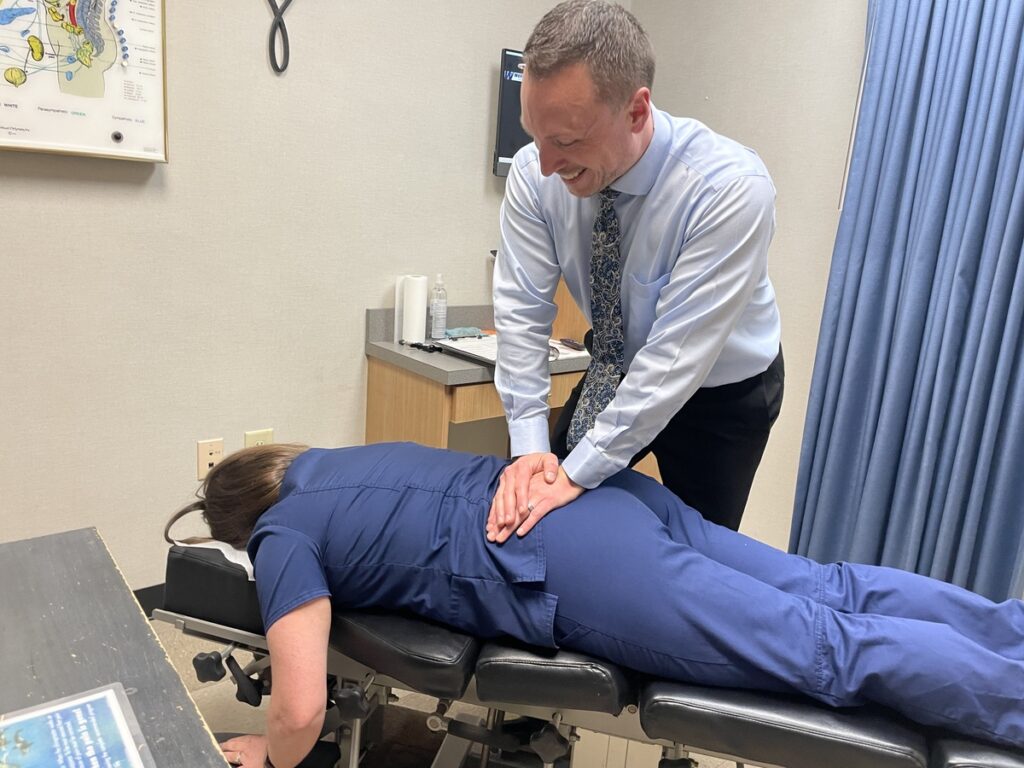
If you find yourself sitting at a desk for long hours, you’re likely all too familiar with how quickly poor posture can lead to discomfort and pain. As a chiropractor, I want to share some effective strategies to help you maintain better alignment and support your body throughout the day. By making simple adjustments and considering your workspace, you can significantly improve your posture and overall wellness.
Here are the top seven strategies you can implement today that not only enhance your work environment but also promote natural healing and spinal health:
- Invest in Ergonomic Furniture: Choosing an ergonomic chair that supports your lower back can make a world of difference in maintaining proper posture. Look for a chair that allows your feet to rest flat on the floor and supports the natural curve of your spine.
- Adjust Your Monitor Height: Your computer screen should be at eye level to prevent straining your neck. A simple fix is to elevate your monitor using a stand. This encourages a neutral head position and lessens the risk of neck pain.
- Practice Proper Sitting Posture: When seated, ensure your back is straight and shoulders are relaxed. Keep your elbows close to your body at a 90-degree angle, and use a footrest if your feet don’t touch the ground comfortably.
- Take Regular Breaks: It’s important to stand up, stretch, and move around every hour. This helps relieve tension and promotes blood flow, which is essential for spinal health. Consider setting a timer as a reminder.
- Incorporate Stretching Exercises: Simple stretches can counteract the stiffness that often comes from sitting. Focus on stretching your neck, shoulders, back, and hips to alleviate tightness and improve flexibility.
- Stay Hydrated: Drinking plenty of water throughout the day can help maintain your energy levels and keep your muscles functioning optimally. Dehydration can lead to fatigue and discomfort, making it more difficult to maintain good posture.
- Consider Chiropractic Care: Regular chiropractic adjustments can help keep your spine aligned and your body functioning at its best. Chiropractic care is a natural approach to health that can relieve pain, improve posture, and enhance overall well-being.
By incorporating these strategies into your daily routine, you can create a healthier work environment that supports your spine and promotes natural healing. Remember, taking care of your posture today can lead to a more comfortable and pain-free tomorrow. If you’re experiencing persistent discomfort, don’t hesitate to seek chiropractic care for personalized support on your journey to optimal health.
Key Takeaways
- Consider investing in an ergonomic chair designed with lumbar support and adjustable features. This can greatly enhance your posture and help maintain proper spinal alignment, making it easier for you to stay comfortable throughout your workday.
- Adjust your desk height so that your forearms are parallel to the floor. This simple change can help prevent unnecessary strain on your shoulders and neck, which are common areas of discomfort for those with desk jobs.
- Position your monitor at eye level and about an arm’s length away. By doing this, you can prevent the tendency to lean forward or crane your neck, both of which can contribute to long-term pain and discomfort.
- Incorporate wrist rests into your workstation and keep your elbows close to your body while typing. This promotes proper alignment and can help prevent strain on your wrists and arms, supporting your overall well-being.
- Remember to take regular breaks every hour to stretch and move around. These small movements can help reduce stiffness and promote better spinal health, making a significant difference in how you feel throughout your day.
By incorporating these tips into your daily routine, you can support your body’s natural alignment and overall health. And remember, chiropractic care is a fantastic way to address any discomfort you may be experiencing, providing a natural approach to pain relief and wellness. Taking care of your spine is essential for a healthy, active lifestyle!
Invest in an Ergonomic Chair
Investing in an ergonomic chair can greatly enhance your work experience and overall health. As a chiropractor, I often see how poor seating can lead to discomfort and pain in the back, neck, and shoulders. When you choose a chair designed to support your body’s natural posture, you can significantly reduce strain and fatigue.
An ergonomic chair offers essential features like adjustable seat height, lumbar support, and armrests, which cater to your individual body shape. By making these adjustments, you can find a seating position that promotes better alignment and circulation. This is crucial for preventing long-term injuries, which can often lead to chronic pain that may require chiropractic care.
Remember, a comfortable chair is just one piece of the puzzle. To further support your spine and overall wellness, consider incorporating regular breaks into your work routine. Stand up, stretch, and move around every hour to keep your muscles engaged and your blood flowing. Additionally, maintaining a proper desk setup—where your computer screen is at eye level and your feet are flat on the floor—can enhance your posture and well-being.
Chiropractic care is an excellent choice for achieving optimal health, especially if you’re experiencing discomfort from prolonged sitting. Regular adjustments can help maintain spinal alignment and alleviate pain, allowing you to focus on your tasks without distractions. By investing in both an ergonomic chair and chiropractic care, you can take significant steps toward a healthier, more productive lifestyle.
Adjust Your Desk Height
Adjust Your Desk Height for Optimal Health
As a chiropractor, I can’t stress enough the importance of your workspace in maintaining good posture and overall spinal health. While having an ergonomic chair is a great start, adjusting your desk height is equally crucial. A desk that’s too high can lead to unnecessary shoulder tension and discomfort in your neck, while a desk that’s too low may cause you to slouch, putting strain on your back.
To find the perfect desk height, begin by standing up straight and allowing your arms to hang naturally by your sides. Adjust your desk until your forearms are parallel to the floor when you sit. When using a keyboard, make sure your wrists remain straight, avoiding any upward or downward bending. This simple adjustment can help alleviate strain and promote better posture.
Don’t overlook your chair height; it should work harmoniously with your desk adjustments. By ensuring your desk and chair are both at the right height, you create a comfortable workspace that encourages proper posture and reduces fatigue.
Remember, chiropractic care is an excellent way to address any pain or discomfort you might experience from poor posture. Regular check-ups can help keep your spine aligned and functioning optimally, allowing you to thrive in your daily life.
Prioritize these adjustments in your workspace and consider visiting a chiropractor for a personalized approach to your health and wellness journey.
Optimize Your Monitor Position
Optimize Your Monitor Position for Better Spinal Health
As a chiropractor, I understand the importance of maintaining a healthy spine, especially when spending long hours at a desk. After you’ve adjusted your desk height, the next step is to optimize your monitor position for both comfort and spinal health.
Start by placing your monitor at eye level. This positioning keeps your neck in a neutral position, which can help reduce strain and discomfort. Ideally, your eyes should be about an arm’s length away from the screen, preventing you from squinting or leaning forward—both of which can lead to tension in your back and neck.
Tilt your monitor slightly backward to enhance your viewing angle. This adjustment allows you to see the screen without craning your neck, which is vital for maintaining good posture. If you work with multiple monitors, ensure they’re aligned at the same height and distance to avoid awkward head movements that can lead to discomfort.
Adjust the brightness and contrast settings of your monitor as well. This not only reduces eye fatigue but also encourages you to maintain a natural head position.
Remember, a well-positioned monitor can significantly improve your comfort and productivity during those long work hours.
By implementing these simple adjustments, you can create a more ergonomic workspace that supports better posture and overall well-being. And don’t forget, regular chiropractic care can further enhance your spinal health, helping you maintain comfort and vitality in your daily life.
Prioritizing your spine is key to achieving optimal health, so consider incorporating chiropractic into your wellness routine for lasting relief and natural healing.
Practice Proper Keyboard and Mouse Placement
To maintain comfort and support while typing, it’s essential to position your keyboard and mouse correctly. Ensuring that your elbows are at a 90-degree angle and your wrists are properly supported can significantly reduce strain on your body. This attention to ergonomics not only enhances your posture but also boosts your productivity.
As a chiropractor, I emphasize the importance of proper body mechanics to prevent discomfort and promote overall well-being. By making these adjustments, you’re taking proactive steps toward maintaining spinal health. Remember, the alignment of your body plays a crucial role in how you feel day-to-day.
Here are a few general tips to keep in mind:
- Chair Height: Your chair should support your lower back and allow your feet to rest flat on the ground.
- Screen Position: Your monitor should be at eye level to prevent neck strain.
- Take Breaks: Regular breaks to stretch and move can help alleviate tension and improve circulation.
Incorporating these simple changes can lead to a more comfortable work environment and help you avoid pain. Remember, chiropractic care is an excellent way to address discomfort naturally and support your journey to optimal health. If you’re experiencing pain or discomfort, consider visiting your local chiropractor for personalized care and guidance.
Optimal Hand Positioning
Getting your hand positioning right is crucial for maintaining comfort and preventing strain during those long hours at your desk. As a chiropractor, I want to emphasize that proper ergonomics can significantly impact your spinal health and overall well-being. Keeping your wrists straight and your hands relaxed, just hovering above the keyboard and mouse, is essential. Remember, your elbows should stay close to your body to promote better alignment.
Here’s a handy reference table to help you visualize optimal hand positioning:
| Position | Tips |
|---|---|
| Keyboard | Ensure it’s at elbow height, with wrists straight to reduce strain on your spine |
| Mouse | Keep it close to the keyboard, and use a light grip to avoid unnecessary tension |
| Overall Posture | Sit back in your chair with your feet flat on the floor to support your lower back |
Elbow Angle Importance
Maintaining the right elbow angle while using your keyboard and mouse is essential for your overall health and well-being. As a chiropractor, I can’t stress enough how important it’s to keep your elbows at about a 90-degree angle, with your forearms parallel to the floor. This simple adjustment can significantly reduce strain on your muscles and joints, which in turn promotes better posture and helps avoid discomfort.
Ensure that your keyboard and mouse are positioned at heights that allow your elbows to stay close to your body. If they’re too high or too low, you might find yourself reaching or hunching over, which can lead to unnecessary tension and pain.
Consider investing in a chair that has an adjustable height feature. This can help you achieve the perfect fit and support your spine properly. Remember, maintaining a comfortable elbow angle isn’t just about comfort; it’s crucial for keeping your productivity high and preventing long-term issues associated with poor posture.
Incorporating chiropractic care into your wellness routine can also be incredibly beneficial. Regular adjustments can help keep your spine aligned, reduce muscle tension, and improve your overall posture. By prioritizing your elbow angle and considering chiropractic care, you’re taking proactive steps toward a healthier, pain-free lifestyle.
Wrist Support Necessity
Proper wrist support is crucial for anyone who spends long hours typing or using a mouse. Without the right support, you can strain your tendons and ligaments, which can lead to discomfort or even chronic pain. This is where chiropractic care comes in—it not only helps alleviate pain but also promotes overall wellness.
To prevent wrist strain, it’s important to ensure your keyboard and mouse are positioned at elbow height. Your wrists should remain straight and relaxed, avoiding any upward or downward bending. A wrist rest can be a great addition to provide support and keep your wrists aligned with your forearms. If you find your setup isn’t quite right, consider adjusting your chair and desk height to achieve a more comfortable position.
Additionally, maintaining good posture is key. Sit up straight and keep your feet flat on the floor. Don’t forget to take regular breaks to stretch and move around; this helps keep your muscles and joints healthy. Simple wrist stretches can also provide relief and improve flexibility.
Incorporate Regular Breaks and Movement
Although it may be tempting to power through your day without taking breaks, incorporating regular movement is essential for maintaining good posture and overall health. As a chiropractor, I can tell you that taking short breaks throughout your day can greatly reduce stiffness and improve circulation, which are crucial for spinal health. Use these breaks to stand, stretch, or take a brief walk—your body will thank you!
Here’s a simple movement schedule you can easily follow to keep your body in top shape:
| Time Interval | Activity | Duration |
|---|---|---|
| Every Hour | Stand Up | 1 minute |
| Every Two Hours | Quick Stretch | 5 minutes |
| Every Four Hours | Short Walk | 10 minutes |
Strengthen Core Muscles
Strengthening your core muscles is essential for enhancing your posture and supporting your spine, especially if you spend long hours sitting at a desk.
A robust core provides stability to your body, which can help alleviate strain on your back and neck. As a chiropractor, I want to share some effective exercises to help you strengthen your core naturally and support your overall wellness:
- Planks: This exercise is fantastic for engaging your core. Start in a plank position and hold it for 30 seconds to a minute, making sure to keep your body in a straight line. This will help improve your spinal alignment.
- Bridges: To perform a bridge, lie on your back with your knees bent. Gently lift your hips towards the ceiling while squeezing your glutes and engaging your core. This exercise not only strengthens your core but also supports your lower back.
- Russian Twists: Sit on the floor with your knees bent and lean back slightly. Twist your torso from side to side while holding a weight or a water bottle. This movement enhances core stability and promotes flexibility in your spine.
- Bird-Dogs: Get on all fours and extend one arm and the opposite leg simultaneously. Keep your core engaged and balanced. This exercise is excellent for improving coordination and core strength, which is vital for maintaining proper posture.
Incorporating these exercises into your daily routine can significantly improve your desk posture and overall spinal health.
Remember, chiropractic care is a great option for achieving optimal health and managing pain naturally. Regular adjustments can complement your exercise routine, helping to ensure your spine is aligned and functioning at its best.
Prioritize your well-being by combining these exercises with chiropractic care for a healthier, pain-free lifestyle.
Utilize Posture Correcting Devices
To enhance your posture while working at your desk, consider integrating posture correcting devices into your workspace. Ergonomic chairs, posture support cushions, and wearable posture trackers can greatly improve how you sit and feel throughout the day. These tools not only provide essential support for your spine but also promote healthier habits during your work hours.
However, while these devices can be beneficial, nothing substitutes the comprehensive care provided by chiropractic treatment. Regular visits to your chiropractor can help realign your spine, alleviate discomfort, and teach you proper posture techniques tailored to your body.
Here are a few tips to help you maintain good posture:
- Adjust Your Workspace: Ensure your chair and desk are at the right heights. Your feet should be flat on the ground, and your screen should be at eye level.
- Take Breaks: Every 30 minutes, stand up, stretch, and move around. This helps reduce tension in your back and keeps your muscles engaged.
- Practice Mindfulness: Regularly check in with your body. Are your shoulders hunched? Are you leaning forward? Adjust as necessary.
- Stay Active: Incorporate exercises that strengthen your core and back muscles. A strong core supports your spine and promotes better posture.
Ergonomic Chairs Benefits
Investing in an ergonomic chair can significantly enhance your comfort and productivity while working at a desk. However, it’s important to remember that proper spinal health is the cornerstone of overall well-being, and while ergonomic chairs can help, they’re just one part of the equation. Here are four key benefits of using an ergonomic chair, along with some additional insights on how chiropractic care can support your health:
- Improved Posture: An ergonomic chair encourages you to sit up straight, which helps align your spine properly. Good posture is vital for spinal health, and regular chiropractic adjustments can further enhance your posture by addressing any underlying misalignments.
- Reduced Discomfort: With cushioned support, ergonomic chairs minimize pressure on your back, hips, and thighs. However, if you experience ongoing discomfort, consulting with a chiropractor can help identify the root cause of your pain and provide natural solutions without the need for medications or surgery.
- Increased Focus: When you’re comfortable, you’re less distracted by aches and pains, allowing you to concentrate better on your tasks. To enhance your focus even more, consider incorporating regular chiropractic care into your routine to keep your spine aligned and your nervous system functioning optimally.
- Enhanced Flexibility: Many ergonomic chairs are adjustable, accommodating various body types and preferences. Similarly, chiropractic care promotes flexibility and mobility in your joints and muscles, helping you maintain an active lifestyle.
In addition to using an ergonomic chair, here are some general tips for maintaining a healthy spine while working:
- Take regular breaks: Stand up, stretch, and move around every hour to reduce stiffness and improve circulation.
- Practice good ergonomics: Ensure your workstation is set up correctly, with your monitor at eye level and your feet flat on the floor.
- Stay hydrated: Drinking enough water supports overall health, including spinal health.
- Incorporate chiropractic care: Regular visits to your chiropractor can help prevent pain and promote a healthier spine.
Posture Support Cushions
As a chiropractor, I understand the importance of maintaining proper spinal alignment for overall health and wellness. While ergonomic chairs are a great start for comfort, posture support cushions can play a vital role in enhancing your sitting experience. These specially designed cushions help support your lower back, promoting the natural curve of your spine and making it easier to sit up straight. This can significantly reduce strain on your muscles and joints, which is key for preventing discomfort and pain.
There are various types of posture support cushions available, including memory foam options that mold to your body or inflatable ones that can be adjusted for your comfort. Simply place one of these cushions on your chair, and you’ll likely feel an immediate improvement in your posture and comfort levels.
Incorporating a posture support cushion into your workspace not only enhances your sitting experience, but it also encourages better focus and can help alleviate back pain over time. Remember, while these cushions can be helpful, regular chiropractic care is essential for maintaining optimal spinal health and addressing any underlying issues.
To further support your well-being, here are a few tips to consider:
- Take Breaks: Stand up and stretch every 30-60 minutes to reduce tension in your back and neck.
- Practice Good Posture: Sit all the way back in your chair with your feet flat on the ground to support your spine.
- Stay Active: Engage in regular physical activity to strengthen your back muscles and improve flexibility.
Wearable Posture Trackers
As a local chiropractor, I want to share how wearable posture trackers can be a valuable tool for anyone aiming to enhance their sitting habits and promote spinal health. These innovative devices offer real-time feedback, keeping you mindful of your posture throughout your daily activities. By incorporating this technology into your routine, you can make meaningful progress toward better posture, which is vital for your overall well-being.
Here are some benefits to consider:
- Real-time Alerts: These devices notify you when you slouch or lean too far forward, encouraging you to correct your posture before it leads to discomfort or pain.
- Data Tracking: With detailed analytics, you can monitor your posture habits over time, allowing you to identify patterns and make informed adjustments that support your spinal health.
- User-Friendly Design: Many posture trackers are lightweight and discreet, making them easy to wear throughout the day without drawing attention.
- Customizable Settings: You can adjust the alert sensitivity to match your personal comfort level, ensuring that your posture reminders suit your individual needs.
While wearable posture trackers can provide valuable insights, remember that they’re most effective when combined with regular chiropractic care.
As a chiropractor, I emphasize the importance of maintaining a healthy spine through natural methods. Chiropractic adjustments can help realign your spine, alleviate pain, and enhance your posture over time.
In addition to using posture trackers, here are some simple tips to help you maintain better spinal health:
- Take Breaks: If you sit for long periods, take breaks to stretch and move around every hour. This can help prevent stiffness and promote better posture.
- Mind Your Ergonomics: Ensure your workspace is set up to support good posture. Your chair should provide support for your lower back, and your computer screen should be at eye level.
- Engage Your Core: Strengthening your core muscles can provide better support for your spine. Consider incorporating exercises like planks or bridges into your routine.
- Stay Hydrated: Drinking plenty of water helps keep your spinal discs hydrated and healthy.
By integrating these practices into your daily life, you can take charge of your spinal health and overall wellness.
Conclusion
By incorporating these top solutions into your daily routine, you can significantly improve your posture and overall comfort while working at your desk. As a chiropractor, I emphasize the importance of investing in an ergonomic chair and properly adjusting your workspace to support your spine. However, it’s equally vital to take regular breaks to stretch and move around, as this can help alleviate tension and prevent discomfort.
Strengthening your core is another key aspect of maintaining good posture. Simple exercises such as planks and bridges can make a big difference in supporting your spine. Remember, a healthy spine is essential for overall wellness, and chiropractic care can be a wonderful resource for achieving this. Regular adjustments can help align your spine, relieve pain, and enhance your body’s natural ability to heal itself.
So, make these changes today—consider incorporating chiropractic care into your wellness routine, and enjoy a healthier, more supportive work environment! Your body will thank you.